












Create Custom Engraved Dashboard Panels In-House
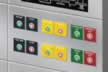
It’s simple to design your own dashboard panels. Profile-cut the outside shape of the panel and cut openings for gauges, levers, joysticks, switches, indicators and other controls. Go beyond simple circles — profile-cut slots, rectangles, arcs, notches or custom shapes designed around the hardware.
You can engrave the lettering directly into the panel, identifying each control with permanent text that will not smear, peel or wear away.
The result is a dashboard custom shaped for the machine, with each opening and label placed in the most practical position for the hardware — and the operator.
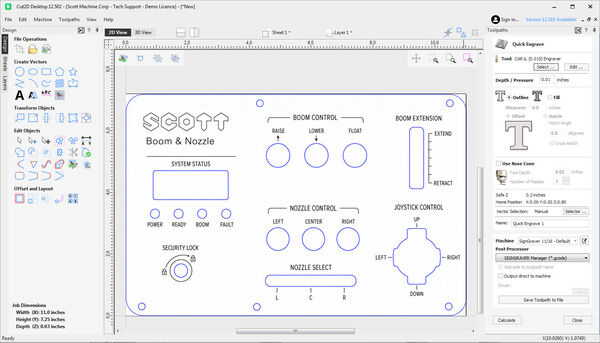
Step 1 - Sketch Your Dashboard Panel
Adaptable for your needs, our program lets you import files from other CAD or graphics software packages such as AutoCAD, along with Adobe Illustrator and Corel Draw. You can also convert most word processing files to PDF for importing.
For clarity on the left image, engraved lettering is indicated in black, while the profile cutting marks are notated in blue.
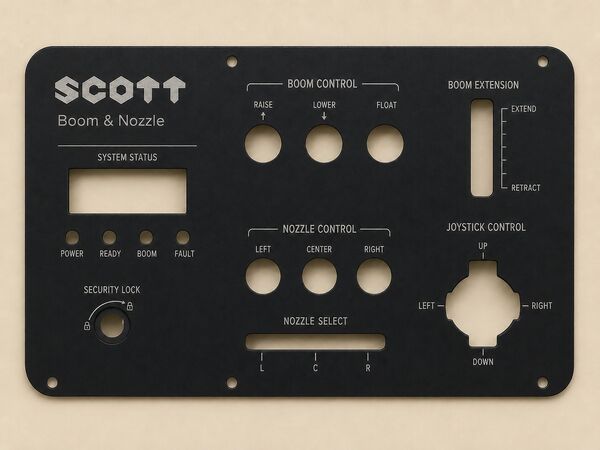
Step 2 - Engrave the Dash Panel Elements
Make your profile cut, using one of our superior engraving plastics. The Scott GripNGraver™ mat ensures workpiece stability as you confidently cut your openings for the various panel elements.
Engraving the letters is a quick, natural process, thanks to our intuitive software, precision tools and reliable machine. Your engraved dash panel will maintain its clean, clear look through all types of conditions.
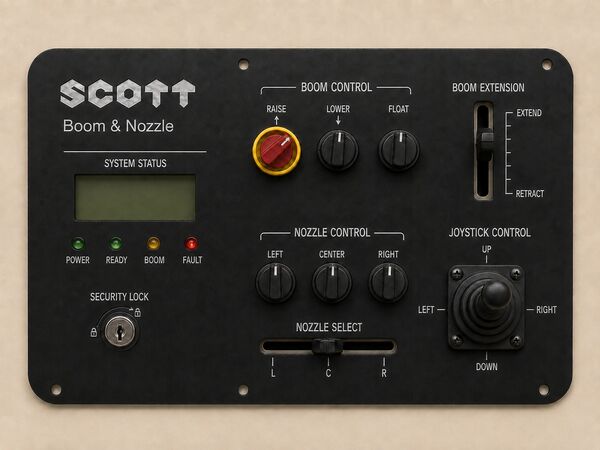
Step 3 - Assemble Your Custom Operator Panel
Secure your panel in place, for a neat, professional look, with each opening and label properly positioned, thanks to the easy-to-use software and rotary engraver…specially designed for better facility communication and management.
Software That Goes Where You Go
Scott Machine software, provided by Vectric, is not only intuitive to use, but it comes with a subscription-free, multi-chair license for better teamwork among your staff. Work at your benchtop, your desk, even remotely for easy sharing and collaboration. Our instructional videos guide you through the simple operation so that engraving is always engaging!↖
Profile Cut Like a Pro
The short video on the left highlights the simple profile cutting process, displaying how effortless it is to turn on the vacuum, set the cutting tool in motion and implement a smooth, clean cut. All in just seconds!
Learn more about the convenient features of the


