












High-Volume Engraving Production: Software, Fixtures and Walk-Away Operation
When you need to engrave hundreds or thousands of parts, productivity comes from more than the machine alone. Scott combines
-- easy-to-use engraving software
-- precut engraving blanks
-- custom fixtures that hold many parts in position at once
-- a very effective vacuum system for unattended operation
Together, these pieces create a complete production system: lay out the job in the software, load the blanks into the fixture, start the engraver, and let the machine work through the batch.
When comparing engraving systems, buyers should look beyond the machine itself and consider the complete software-driven workflow, because the most productive solution is the one that makes setup faster, repeatable, and easier to control.
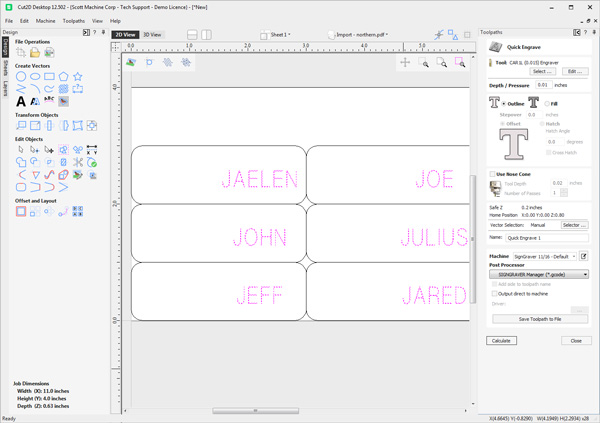
A half-dozen name tags
The ability to lay out dozens of parts at once lets operators organize, position, and prepare high-volume jobs efficiently instead of setting up one item at a time.

We print the logos and you engrave the names
For a small group of parts, the hold-down mat keeps the job simple. Lay the tags side by side, match their positions to the software template, and engrave the group in one run. This is a practical way to handle short batches without building a special fixture.
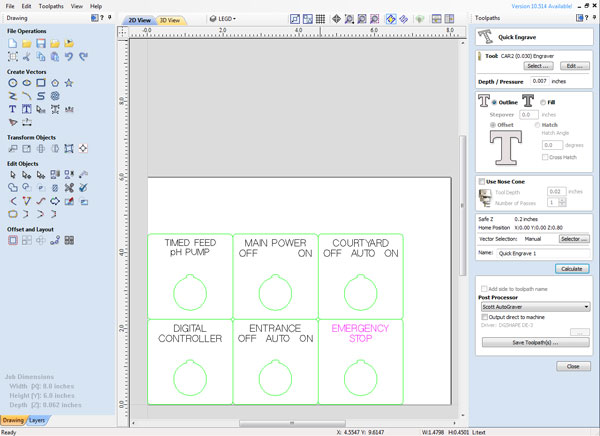
A handful of Legend Plates
This is the same idea applied to a different part. The software template shows each legend plate in its proper position, with the engraving placed where it belongs. For low quantities, this straightforward template approach helps the operator set up the job quickly and see the whole layout before cutting.
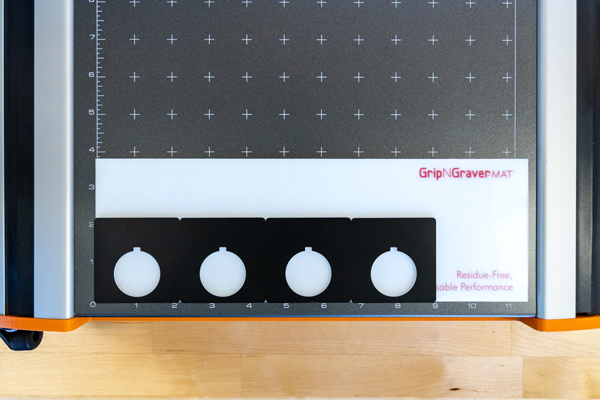
Purchase them pre-cut -- simply align & engrave
On the machine bed, the hold-down mat lets a handful of legend plates sit together in the same arrangement shown on the screen. That keeps setup direct: place the blanks, confirm the layout, and run the batch. It is a good method when the job is too large for one-at-a-time engraving but not large enough to need a dedicated fixture.
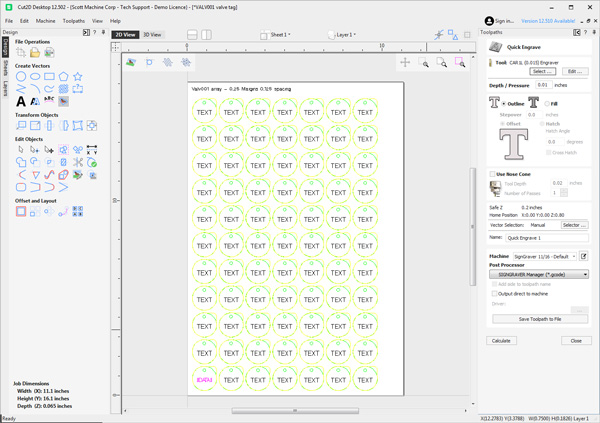
One template - Hundreds items
When the quantities grow, the software becomes even more important. A single template defines the repeated part positions, so the machine knows where every blank will sit. Instead of rebuilding the layout for every run, the operator works from a repeatable setup built for production.
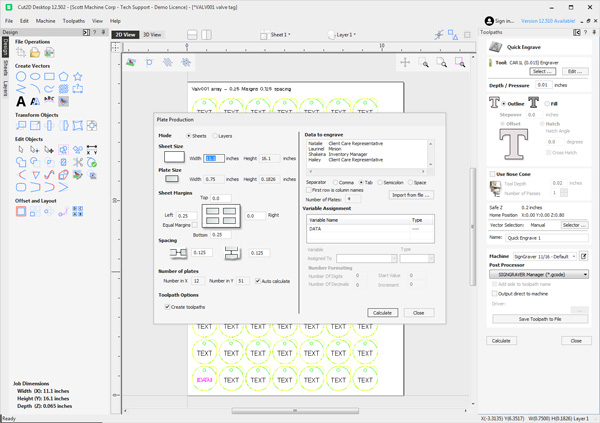
Import Excel Files that contain hundreds of texts
When you're engraving a batch of nameplates, tags, labels, or other repeated items, Scott engraving software helps you work faster and more consistently. Use a software template with an Excel spreadsheet to bring in the changing text for each piece.
Prepare the layout once, load the batch data, and run the job with fewer opportunities for error. It is an efficient way to handle serialized plates, employee tags, control-panel labels, asset tags, and other variable-data engraving jobs.
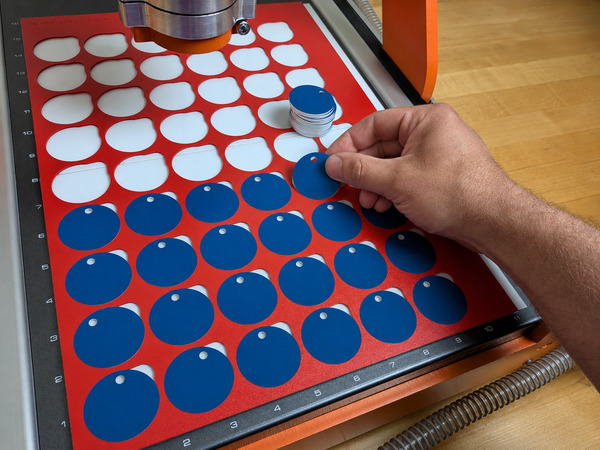
Place 'N Press -- Speed & Accuracy
For larger production runs, a custom fixture is the faster, more repeatable choice. Each pocket holds a blank in the correct position, so the operator can load many parts quickly and run the batch with confidence. The fixture, the software template, and the engraver work together as one production system.


